
168 lines
5.7 KiB
Markdown
168 lines
5.7 KiB
Markdown
<p align="center">
|
|
<img src="https://konvajs.org/img/icon.png" alt="Konva logo" height="60" />
|
|
</p>
|
|
|
|
# React Konva
|
|
|
|
[](https://opencollective.com/konva)
|
|
[](http://badge.fury.io/js/react-konva)
|
|
[](https://github.com/konvajs/react-konva/actions/workflows/test.yml)
|
|
|
|
React Konva provides declarative React components for the [Konva](https://konvajs.org/) 2D canvas scene graph. Use it to build design editors, whiteboards, diagrams, annotations, and other interactive graphics.
|
|
|
|
React Konva is MIT licensed. It supports Konva shapes and events. It does not support React Native.
|
|
|
|
- [React tutorial](https://konvajs.org/docs/react/index.html)
|
|
- [Live demos](https://konvajs.org/docs/sandbox.html)
|
|
- [Konva API](https://konvajs.org/api/Konva.html)
|
|
- [Star the project](https://github.com/konvajs/react-konva)
|
|
|
|
[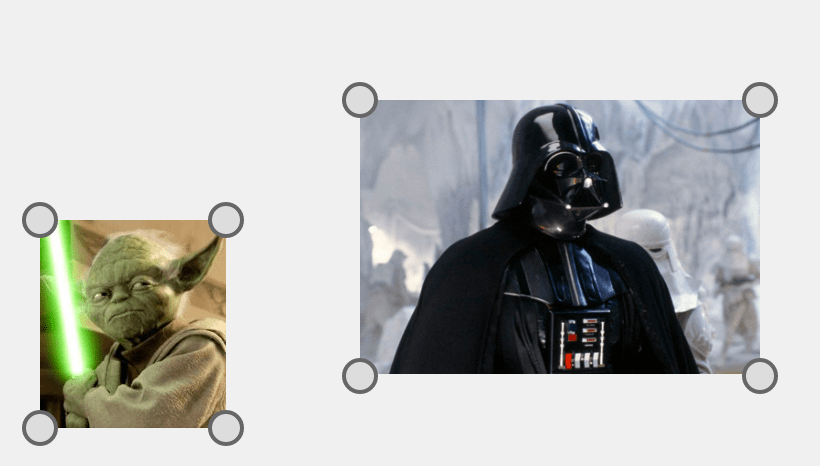](https://konvajs.org/docs/react/Transformer.html)
|
|
|
|
## Install
|
|
|
|
React Konva 19.3 requires React and React DOM `^19.3.0`.
|
|
For React 19.2, install the latest React Konva 19.2 release.
|
|
For React 18, install the latest React Konva 18 release.
|
|
|
|
```bash
|
|
npm install react-konva konva
|
|
```
|
|
|
|
## Quick example
|
|
|
|
```javascript
|
|
import {useState} from 'react';
|
|
import {Stage, Layer, Rect} from 'react-konva';
|
|
|
|
export default function App() {
|
|
const [color, setColor] = useState('#00a8e8');
|
|
return (
|
|
<Stage width={600} height={400}>
|
|
<Layer>
|
|
<Rect
|
|
x={50} y={50} width={120} height={80}
|
|
fill={color} draggable
|
|
onClick={() => setColor(color === '#00a8e8' ? '#ff7a00' : '#00a8e8')}
|
|
/>
|
|
</Layer>
|
|
</Stage>
|
|
);
|
|
}
|
|
```
|
|
|
|
> **Building a full design editor?** [Polotno](https://polotno.com/?utm_source=konvajs&utm_medium=readme&utm_content=react-konva) is a commercial design editor SDK built on Konva by the Konva maintainers. It ships templates, text editing, and export, so you integrate an editor instead of building one: `npm install polotno`.
|
|
|
|
`react-konva` follows the Konva API. See the [Konva overview](https://konvajs.org/docs/overview.html) for the scene graph, properties, and events.
|
|
|
|
## Core API
|
|
|
|
`react-konva` supports Konva shapes with the same names. Event props use React names such as `onClick`, `onTouchMove`, and `onDragEnd`.
|
|
|
|
### Getting reference to Konva objects
|
|
|
|
Use `ref` to access the underlying Konva node.
|
|
|
|
```javascript
|
|
import React, { useEffect, useRef } from 'react';
|
|
import { Circle } from 'react-konva';
|
|
|
|
const MyShape = () => {
|
|
const circleRef = useRef();
|
|
|
|
useEffect(() => {
|
|
// log Konva.Circle instance
|
|
console.log(circleRef.current);
|
|
}, []);
|
|
|
|
return <Circle ref={circleRef} radius={50} fill="black" />;
|
|
};
|
|
```
|
|
|
|
### React features inside Stage
|
|
|
|
Components inside `Stage` use React hooks and inherit context from the surrounding React tree.
|
|
|
|
`Stage` creates a separate canvas root. Place error and Suspense boundaries inside
|
|
`Stage`, with Konva elements as fallbacks.
|
|
|
|
See the [React compatibility matrix](docs/react-compatibility.md) for hook support and renderer limits.
|
|
|
|
### Strict mode
|
|
|
|
By default, `react-konva` updates only props that change between renders.
|
|
Manual changes, such as a dragged position, persist until the corresponding prop changes.
|
|
|
|
Strict mode restores all supplied props to their rendered values on each update.
|
|
For example, a circle with `x={0}` and `y={0}` returns to that position after a drag and a React update.
|
|
This mode is separate from React's `StrictMode`.
|
|
|
|
To enable strict mode globally:
|
|
|
|
```javascript
|
|
import { useStrictMode } from 'react-konva';
|
|
|
|
useStrictMode(true);
|
|
```
|
|
|
|
To enable strict mode for one node:
|
|
|
|
```javascript
|
|
<Rect width={50} height={50} fill="black" _useStrictMode />
|
|
```
|
|
|
|
### Minimal bundle
|
|
|
|
The default package includes all Konva shapes and filters.
|
|
For a smaller bundle, use the core entry point and import individual shapes:
|
|
|
|
```javascript
|
|
import { Stage, Layer, Rect } from 'react-konva/lib/ReactKonvaCore';
|
|
|
|
import 'konva/lib/shapes/Rect';
|
|
```
|
|
|
|
Demo: [https://codesandbox.io/s/6l97wny44z](https://codesandbox.io/s/6l97wny44z)
|
|
|
|
## Usage with Next.js
|
|
|
|
Konva 10+ works with Next.js without extra canvas setup. Use a
|
|
[Client Component](https://nextjs.org/docs/app/api-reference/directives/use-client) (`'use client'`).
|
|
|
|
Konva 9 and earlier need extra setup, such as installing `canvas` or
|
|
[disabling SSR](https://nextjs.org/docs/app/guides/lazy-loading#skipping-ssr) for the canvas component.
|
|
|
|
## Event synchronization
|
|
|
|
With Konva 10.5+, React state updates from native input commit before the event finishes.
|
|
To batch MobX reactions too, pass `runInAction`:
|
|
|
|
```tsx
|
|
import { runInAction } from 'mobx';
|
|
|
|
<Stage eventBatchFunc={runInAction} width={600} height={400}>
|
|
{/* Existing layers, shapes, and handlers */}
|
|
</Stage>
|
|
```
|
|
|
|
The wrapper must call its callback exactly once, synchronously. Older Konva versions ignore this prop.
|
|
|
|
With Konva 10.9+, react-konva also batches Transformer updates automatically across each canvas commit.
|
|
See the [release notes](RELEASE_NOTES.md) for geometry timing and compatibility details.
|
|
|
|
## Development and tests
|
|
|
|
Use Node.js 24 LTS for development.
|
|
|
|
```sh
|
|
npm install
|
|
npx playwright install chromium
|
|
npm test
|
|
```
|
|
|
|
`npm test` covers development and production builds, performance counts, server rendering, package exports, and types.
|
|
Set `BROWSER=firefox` or `BROWSER=webkit` to use another installed Playwright browser.
|
|
See the [benchmark guide](benchmarks/README.md) for performance checks and timing comparisons.
|
|
|
|
## [CHANGELOG](https://github.com/konvajs/react-konva/releases)
|